
Most travel checklists focus on what to pack, but we rarely think of what happens when we need something quickly and can’t access it on our phone.
I’ve seen this happen in very ordinary situations: a boarding pass that won’t load at the gate, a hotel booking buried in emails while you’re trying to give an address to a driver, or travel documents that take too long to find at the wrong moment. The information is there, but it’s not that accessible.

ID 268827118 ©Yuri Arcurs | Dreamstime.com
Before every trip, I take a few minutes to organize what I’ll actually need on my phone – documents, confirmations, maps, and backups – saved offline and easy to retrieve. Knowing what to have on your phone when traveling, including travel documents, apps, and offline essentials, can make a real difference once your trip starts.
What Should You Have on Your Phone When Traveling?
Your phone should hold all the essential travel documents and practical information you might need during your trip – accessible even without internet. These travel documents on your phone act as quick-access backups when you need to confirm details fast.
That includes identification, bookings, transport details, and a few key backups. The goal isn’t to duplicate everything you own, but to ensure that anything time-sensitive or frequently requested can be opened instantly.
This becomes especially important in moments where speed matters: check-in counters, immigration desks, or late-night arrivals in unfamiliar places.
What Travel Documents Should You Save on Your Phone Before a Flight?
Before any flight, there are a few document categories worth saving directly on your device as part of your night-before-flight checklist.
First, anything that proves who you are – passport copies, identification, or visas. Second, anything that proves where you’re going – boarding passes, hotel reservations, onward travel confirmations. And third, anything that helps you recover quickly if something goes wrong – insurance details, contacts, and backups.
Many people keep these in their email, which works until it doesn’t. And yes, I used to do this too until I had an internet issue and learned how important it is to have the documents saved on my phone.
A more reliable approach is to save them locally and make them easy to find. These digital copies don’t replace your original documents – you’ll still need your physical passport and required paperwork – but they become extremely useful as a backup and in situations where you need to access details quickly.
15 Essential Things to Save on Your Phone Before Any Trip
These are the items I recommend, based on what actually proves useful during travel – not just what sounds good in theory.
1. Passport Copy
A clear image of your passport’s main page is one of the most important backups you can carry. If the original is lost or stolen, having the details readily available simplifies the replacement process and helps authorities assist you faster.
If you are from the European Union and travel to a European country only with your ID card, then you should have a digital copy of that ID card. Make sure all your documents are intact (to avoid being denied boarding, as it happened to this lady).
2. Visa or Entry Documents
If your destination requires a visa or entry authorization, save both a screenshot and the original file. Border checks are not the place to depend on email search or slow connectivity.
3. Boarding Passes
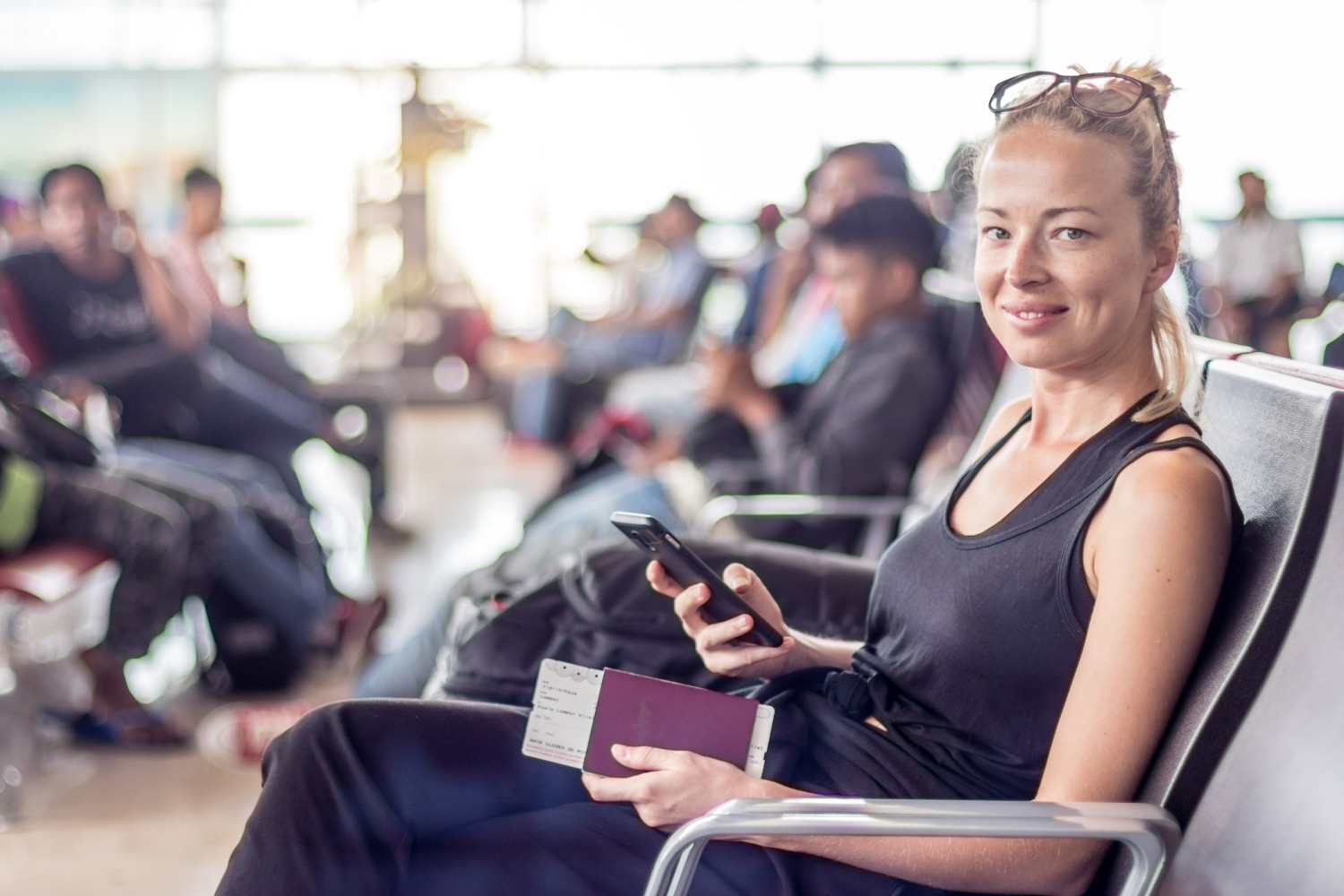
Even in well-connected airports, mobile data can fail at the wrong moment. Having your boarding passes saved offline ensures you can move through checkpoints without interruption. As we all know, airports are very stressful!
Plus, nowadays most airlines accept digital documents, so you can help the planet too 🙂
ID 143552497 ©Kasto80 | Dreamstime.com
4. Hotel Reservation Details
When you plan the perfect trip from start to finish, store your hotel name, full address, and contact details in one place. This becomes particularly useful after arrival, when you may need to show the address quickly or confirm your booking.
While my article is about documents you need to save as copies on your phone, I am adding an extra tip here. Because some phones drain their batteries faster (or some users, like myself, spend their time on mobile doing something that drains the battery), and because, while I recommend an external battery, that too can be drained – or forgotten -, I always recommend having the hotel details on plain paper too. Not a special notebook or huge piece of paper – something small (you can even keep it in the case of your mobile or in a small pocket of your clothes), but easily accessible and dependable in case your mobile is out.
5. Travel Insurance Policy
In situations involving delays, cancellations, or medical issues, you won’t want to search for policy details. Keeping the document accessible allows you to act quickly and with confidence.
Keep all your flight details too, because, in case your flight is delayed or cancelled, you may be entitled to compensation of up to $600.
6. Emergency Contacts
A simple offline list of key contacts – family members, emergency numbers, and important references – can be more reliable than scrolling through your phonebook in stressful situations.
I also recommend saving the local emergency number (like 112 in Europe, 999 in the UK, or 911 in the US) and the contact details for your country’s nearest embassy or consulate.
The latter is something we do not always think to note and save, but, in case of emergencies, they are life-saving!
7. ID or Driver’s License Copy
A digital version of your ID is often enough for quick verifications or administrative steps. It doesn’t replace the original, but it can save time in several common scenarios. Plus, they are a good backup in case you lose them and need others issued.
Travel aside, I have to share with you a recent moment when having the ID card saved on the phone helped. A trip to an ER with my son – where they needed his ID card. We had forgotten it at home, but having the copy on our phone helped (we had our IDs, as parents, as documents, but not his).
8. Offline Maps
Yes, you may travel to a country where you have roaming or internet data at great prices (like I do in many countries in Europe). However, there are times and places when mobile data is very expensive or the internet has low quality, and you cannot afford not having your maps wiyh you.
Downloading maps of your destination is one of the easiest and most effective travel preparations because it helps you explore your destination without relying on mobile data.
I would also recommend downloading the offline maps because it helps you not drain your battery fast (GPS will consume your battery soon).
9. Transportation Apps
Install and log into local transport or ride-sharing apps before you travel. Doing this in advance avoids delays and ensures you can move quickly once you arrive.
I always check to see which are the most used local ride-sharing apps and create accounts (adding my data, including payment) before departure.
10. Backup Payment Options
Having a secondary way to pay – through a mobile wallet or stored card details – protects you from common issues like declined or blocked cards. In fact, this has become, for me, my main way of paying (card is secondary 🙂 ).
Ensure your banking app is set to ‘International Travel Mode’ or that you have verified your phone’s 2-Factor Authentication (2FA) works without a local SIM card, so you aren’t locked out of your accounts abroad. (Or check your bank to see if you need to announce them before traveling so that they do not block your card.)
11. Activity and Tour Confirmations
If you’ve booked tours or experiences, keep those confirmations saved locally. It speeds up check-ins and avoids unnecessary searching at the last minute.
For instance, when we visited Legoland Germany, we had our tickets (including parking tickets) booked months in advance. While I had them on my email, I also downloaded them prior to the trip and had them saved on my phone (entry tickets + parking).
12. Health or Vaccination Documents
Even if not required, having health-related documents available can be useful in emergencies or specific travel contexts. Not to mention how useful they are where such documents are required!
13. Translation App with Offline Access
A translation tool becomes far more valuable when it works without internet. Saving key phrases and essential information improves communication significantly.
If I know I am traveling to a country where I do not know the language (nor is English popular), I try to learn in advance a few common sentences and words. But I also rely on apps 🙂
In Google Translate, remember to click the ‘Download’ icon next to the language pair (e.g., Spanish to English) while you still have Wi-Fi so the offline dictionary is ready to go. I used this when we went to Budapest – but I wish I had this when we went to Brno, years ago!

ID 166577615 ©Monkey Business Images | Dreamstime.com
14. A Notes File with Key Details
Creating a simple note with your most important travel information – addresses, bookings, and reminders – gives you a quick reference point without switching between apps.
If you do not like to search in different documents, this might be easier for you. I prefer a folder with all the relevant data – but this file can be super time-saving and easier to navigate! Offline travel essentials – such as maps, bookings, and saved documents – allow you to access critical information even without internet access.
15. Cloud Backup Access
Cloud storage ensures your documents are available even if your phone is lost or damaged. The most effective setup combines local access with cloud backup for redundancy.
As I have my own email server, I have them hosted there too (and I can access it from anywhere with my user and password).
The 2-Minute “Connectivity Check” Before You Board
Before you step onto the plane or lose your home Wi-Fi signal, perform this quick “stress test” to ensure your digital vault is actually ready:
- Test Airplane Mode: Switch your phone to Airplane Mode and try to open your saved PDFs and Maps. If they don’t open now, they won’t open at immigration.
- Screenshot the QR Codes: Apps for airlines or trains often log you out automatically when you switch time zones or IP addresses. A screenshot of your QR code/boarding pass in your photo gallery is much more reliable than a live app.
- The Brightness Rule: Digital scanners at gates often struggle with low light. Ensure you know how to quickly toggle your brightness to maximum; it saves you (and the people behind you) a lot of stress at the front of the line!
What Should You Download Before Traveling?
Before any trip, it’s worth thinking not just about documents, but also about the tools you’ll need. Knowing what to download before traveling can save you time and prevent unnecessary frustration once you arrive.
This usually includes offline maps, transportation apps, translation tools, and any bookings or confirmations you may need to access without internet.
How to Organize Travel Documents on Your Phone (So You Can Find Them Instantly)
Saving documents is only part of the process. Organization is what makes them useful – because if you have a lot of documents and do not know where to look first… that can also lead to a lot of time wasted and frustration.
I recommend keeping everything in one clearly labeled folder and structuring it in a way that reflects how you’ll need to access it. Key documents should be marked or pinned for quick retrieval, and anything critical should be available offline.
This approach takes only a few minutes to set up, but it makes a noticeable difference when you’re navigating real travel situations. True, it is the most time-consuming the first time (after that, you only replace the details for each trip, but your basic info remains unchanged (passports and ID cards are changed rarely).
Oh, and another important tip: Many people save documents but then can’t find them because the file names are “IMG_4829.jpg.”
Quick Tip: Rename your files before saving them. Instead of a random string of numbers, name them “01_Passport_Name,” “02_Flight_London,” and “03_Hotel_Paris.” Numbering them in chronological order keeps them at the top of your folder and easy to find under pressure.
How Do You Access Travel Documents Without Internet?
The most reliable method is to store files directly on your device and enable offline access in your storage apps. This is why offline travel essentials – including maps, documents, and confirmations – are so important.
Is It Safe to Store Travel Documents on Your Phone?
Yes, provided your phone is properly secured.
Using a passcode, biometric lock, and encrypted storage ensures that your information is protected. Adding a cloud backup with secure access provides an additional layer of safety.
The risk is not in storing the documents – it’s in not having access to them when you need them. Of course, we all have to pay attention to our phones and try to keep them stored close to us so we do not lose them. I would add that it is very easy to forget your phone in various places (it happened to me too), but we can learn from our experiences.
What Happens If You Don’t Have These Saved on Your Phone?
Most of the time, nothing bad happens, but you may find yourself:
- searching for documents under pressure (other people commenting, officials impatient)
- slowing down at checkpoints
- struggling to confirm bookings
- wasting time solving avoidable issues
These situations don’t ruin a trip, but they affect the overall experience more than most travelers expect.
One Simple Backup Most Travelers Forget
In addition to storing documents on your phone, it’s worth creating an external backup.
Sending key files to a trusted person you travel with gives you another way to access them if your phone is lost or unavailable. So, if you travel with your family/partner, both you and your partner can have all the documents on your phones, for both of you/the entire family. It’s a small step, but it adds a layer of security that many travelers overlook.
What Travel Documents Should You Keep on Your Phone?
Keeping travel documents on your phone ensures you always have access to important details, even without internet. These act as backup travel documents if originals are lost, delayed, or simply harder to access quickly in real situations.
Conclusion
We often forget how much we rely on our phones and easy access to various documents.
Taking a few minutes to organize your phone before a trip doesn’t change what you bring, but it changes how easily you can use it. And in travel, that often makes the difference between a smooth experience and an unnecessarily complicated one.
The Essential Digital Vault Checklist:
- Identity: Passport, Visa, ID Card.
- Logistics: Boarding passes, Hotel address, Onward travel.
- Safety: Insurance policy, Emergency contacts, Medical ID.
- Tools: Offline Maps, Local Ride-share apps, Offline Translator.
Common Questions About Saving Travel Documents on Your Phone
To maximize the evergreen potential and “scoot” your way into more search results, you can add 2–3 specific “What if” scenarios to your FAQ. These are things people panic-search for while standing in an airport line.
What if my phone battery dies or I lose my phone?
This is why a “redundancy plan” is vital. Always have your phone’s “Find My” (iPhone) or “Find My Device” (Android) enabled before you leave. Additionally, store your digital vault on a secure cloud service (like Google Drive or iCloud) that you can access from any device – like a hotel business center computer or a friend’s phone – by simply logging in.
What should I have on my phone when traveling internationally?
You should have your essential travel documents, including passport copies, boarding passes, accommodation details, visas, and insurance information. It’s also useful to include offline maps, contacts, and backup payment options.
What travel documents should I save before a flight?
Before a flight, save anything you may need to present quickly: your boarding pass, passport copy, visa (if required), and proof of accommodation or onward travel. Keeping these accessible avoids delays at the airport.
Is it better to keep travel documents on your phone or on paper?
The safest approach is to use both. Physical documents are required in many situations, but digital copies provide quick access and serve as backups if originals are lost.
How do I keep these sensitive photos safe from prying eyes?
Most smartphones have a “Locked Folder” or “Hidden Album” feature that requires a secondary passcode or biometric (FaceID) to open. Move your passport and ID photos there so they don’t show up when you’re scrolling through your vacation photos to show a friend.
How do I store travel documents safely on my phone?
Store them in a secure folder, enable offline access, and protect your phone with a passcode or biometric lock. Using a trusted cloud service for backup adds an extra layer of protection.
Can I travel using only digital documents?
In most cases, no. Physical documents such as passports are still required. However, digital copies are extremely useful as backups and for quick reference during your trip.
What should I download before traveling abroad?
You should download maps, transportation apps, translation tools, and any documents you may need offline. This ensures you can navigate and access information without relying on internet connectivity.
What are the most important travel documents to keep on your phone?
The most important travel documents to keep on your phone include passport copies, visas, boarding passes, hotel reservations, and insurance details. These act as backup travel documents and help you access key information quickly when needed.
More amazing articles for you:
Best Time of Year to Visit Paris for Good Weather, Sightseeing, and Deals
What Should You Do When Your Flight is Cancelled?
Escape to These Hidden Gem Destinations for a Memorable Spring Holiday
She Sat Down for Lunch in Front of the Eiffel Tower - But What She Did Before Eating Shocked Everyon...
Fall Festivals in the South Caucasus
Top Places in Asia by Instagram Likes (infographic included)
A Local's Guide to Brooklyn (New York) with the best things to do in Brooklyn
Digital Nomad Index 2025: 20 Best Countries for Remote Work (With One Big Surprise)

Violeta-Loredana Pascal is a communications expert, business mentor, and the founder of Earth’s Attractions and PRwave INTERNATIONAL. A pioneer in the Romanian digital PR landscape since 2005, she holds a degree in Communication and Social Sciences from SNSPA Bucharest. Violeta is a senior trainer at AcademiadeAfaceri.ro, where she leverages over 20 years of experience to teach professional courses in PR strategy and workplace productivity. By blending high-level business consulting with a passion for holistic travel and wellness, she empowers solopreneurs to overcome procrastination, build profitable brands, and design a life of purposeful adventure.